 PMIS
Start here
Or jump to the part for your role:
What PMIS does
Engagements
Projects for Web, API, Mobile, Thick Client and Network assessments under VAPT, PCI, CERT-In or ASV, each with a tester and a Team Lead.
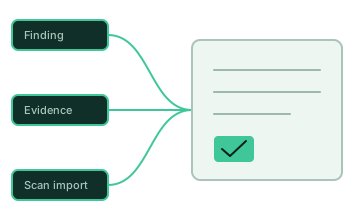
Findings and evidence
Findings drawn from a shared vulnerability library, with affected assets, CVSS overrides and numbered proof-of-concept steps with one or more screenshots each. Add a finding by hand or import many from CSV or Excel when it is not in the library.
Scan imports
Nessus results, Nmap port scans and network scope lists imported straight into Network projects.
Vulnerability library
One curated library with an approval workflow, so finding wording stays consistent across reports.
Report generation
Word and Excel reports filled from your own templates, plus an Issue Log export.
Team oversight
Dashboards, notifications, live-user view, project change history and a retention tracker.
Who uses it
| Role | Typical responsibilities |
|---|---|
| Admin | Users, report templates, vulnerability library, application settings. |
| AVP | Oversight across teams, approvals, organisation dashboards. |
| Team Lead | Runs a team of testers, reviews their projects and findings, approves library requests. |
| Tester | Runs engagements, records findings and evidence, generates reports for own projects. |
The user guide describes what each role can do.
Getting started
- Install PMIS with Docker Compose.
- Sign in as
admin, set a new password, create your users and upload your report templates. - Before anyone else uses it, put it behind HTTPS and work through the production checklist.
Versions
- This documentation describes the current source code.
- The prebuilt
latestimages on Docker Hub were last pushed on 2026-10-08 and predate security improvements in the current code. Pull them for a trial, or build from source until newer images are published. - Changes are listed in the changelog.